Loading

How to Install the New BookBuzzr AuthorPage Widget

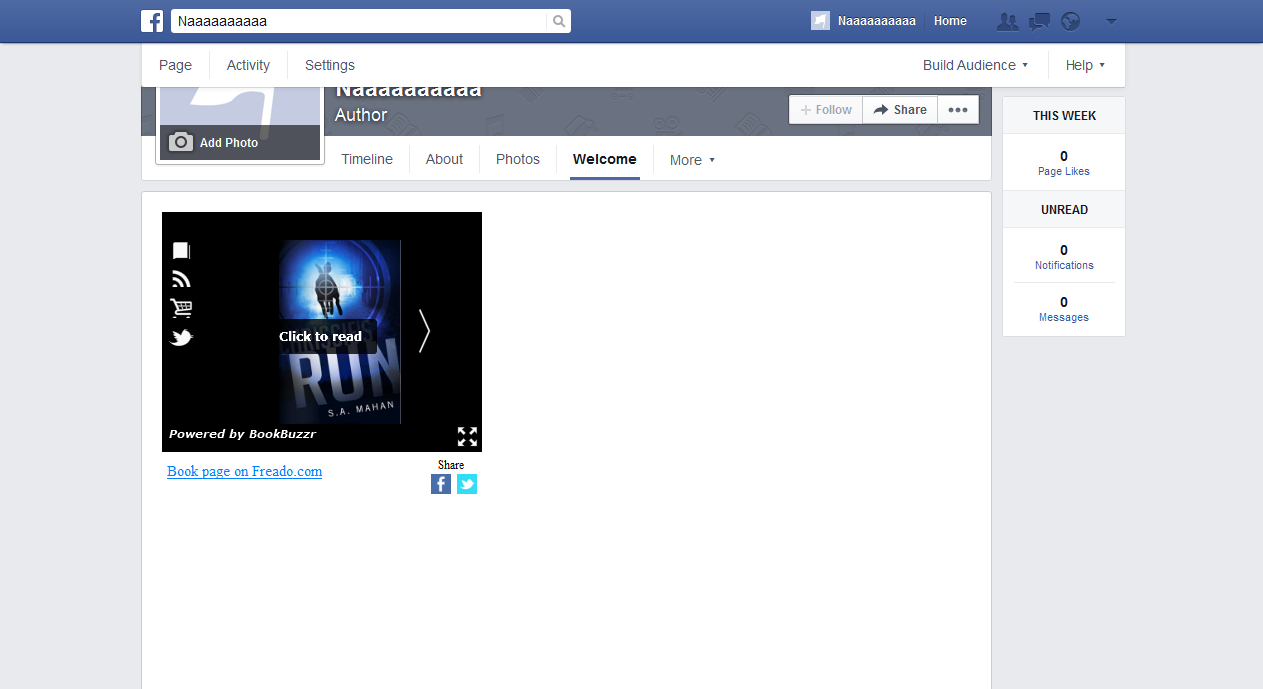
The BookBuzzr team has released a new version of the popular BookBuzzr Facebook fan page widget (aka AuthorPage Widget). If you are a BookBuzzr Pro Subscriber and want to share your BookBuzzr AuthorPage Widget on Facebook Fan Page here’s how you do it.

This new version of the technology is designed to spice up your Facebook fan page and give your readers a chance to really get to know you and your work. We’ve taken care to build the pieces which Facebook does not give you. These include:

  • a home page that can be customized for your audience
  • a content rich bio section that includes pictures and videos
  • a section to show up your live tweets
  • a fun section to entertain your fans
  • a deals and promos section to sell more copies of your books
Note:
This technology replaces the earlier version of the BookBuzzr AuthorPage widget.
If you are an existing subscriber, you can either upgrade to this new technology at no extra cost or choose to retain your existing AuthorPage widget which we will continue to support for a few more months.

 
To get the widget sign-up for a BookBuzzr subscription.

If you get stuck somewhere, please feel free to leave a comment on this page and we’ll respond as quickly as possible. Or send us an email – ranga@freado.com


Start Marketing Your Book Like a Best Selling Author Today

Use BookBuzzr to engage with your readers on Facebook, Twitter and more.


7 comments on “How to Install the New BookBuzzr AuthorPage Widget

  1. Lyn says:

    Love this ap. It looks great on my Facebook Author Page – the only problem is I had several attempts before I was happy with it and if I go into my Facebook Author page from my Facebook page, it isn’t updated and only shows apart of my Bookbuzzr page (sometimes it even requires the ‘Like’ button to be used before access) However, if I go in from another Facebook account (I also have one for a small business I run, not related to my Author account) it looks fine. Any suggestions? My Facebook author page is https://www.facebook.com/HywelaLynAuthor
    Thanks.

    Like or Dislike: Thumb up 0 Thumb down 0

  2. Lyn says:

    Seems to be working fine now! :)

    Like or Dislike: Thumb up 0 Thumb down 0

  3. Ranga Ranga says:

    Thank you Lyn.

    Regards,
    Ranga

    Like or Dislike: Thumb up 0 Thumb down 0

  4. Vanna says:

    Just updated my page…it looks great! :)

    Like or Dislike: Thumb up 0 Thumb down 0

  5. Ranga Ranga says:

    Hi Vanna,

    Thank you for sharing AuthorPage widget on your fan page.

    Regards,
    Ranga

    Like or Dislike: Thumb up 0 Thumb down 0

  6. Richard says:

    Hi Guys,

    Is there anyone who can help me?

    I set up the author page but I added it to the wrong page. How can I remove this to the existing page and transfer to the book page I created? Thanks so much in advance!

    Regards,
    Richard

    Like or Dislike: Thumb up 0 Thumb down 0

  7. Ranga Ranga says:

    Hi Richard,

    Sorry for the delayed response. Please follow the instructions below to remove the author page from the existing page.

    1) Visit your Facebook Fan Page and under the Admin Panel choose the “Edit Page” option and select “Update Info”

    2) Click on “App” on left sidebar

    3) Click the X mark on right side of ‘AuthorPage by BookBuzzr’ Application

    4) Confirm on pop up box that you want to remove ‘AuthorPage by BookBuzzr’ and this will remove BB tab from your page.

    Now you can install the AuthorPage to your book page by following the instructions given in this blog post.

    Regards,
    Naveen

    Like or Dislike: Thumb up 0 Thumb down 0

Leave a Reply

Your email address will not be published. Required fields are marked *

*

You may use these HTML tags and attributes: <a href="" title=""> <abbr title=""> <acronym title=""> <b> <blockquote cite=""> <cite> <code> <del datetime=""> <em> <i> <q cite=""> <strike> <strong>